Features

Create. Manage. Print.

What the app does today, on Mac, iPhone, iPad and Android, with a Windows preview. Each claim sits beside the screen that shows it; the full list is on Specs.

Create

Label editor

Design, preview and print Zebra ZPL labels on Mac, iPhone, iPad and Android with no driver.
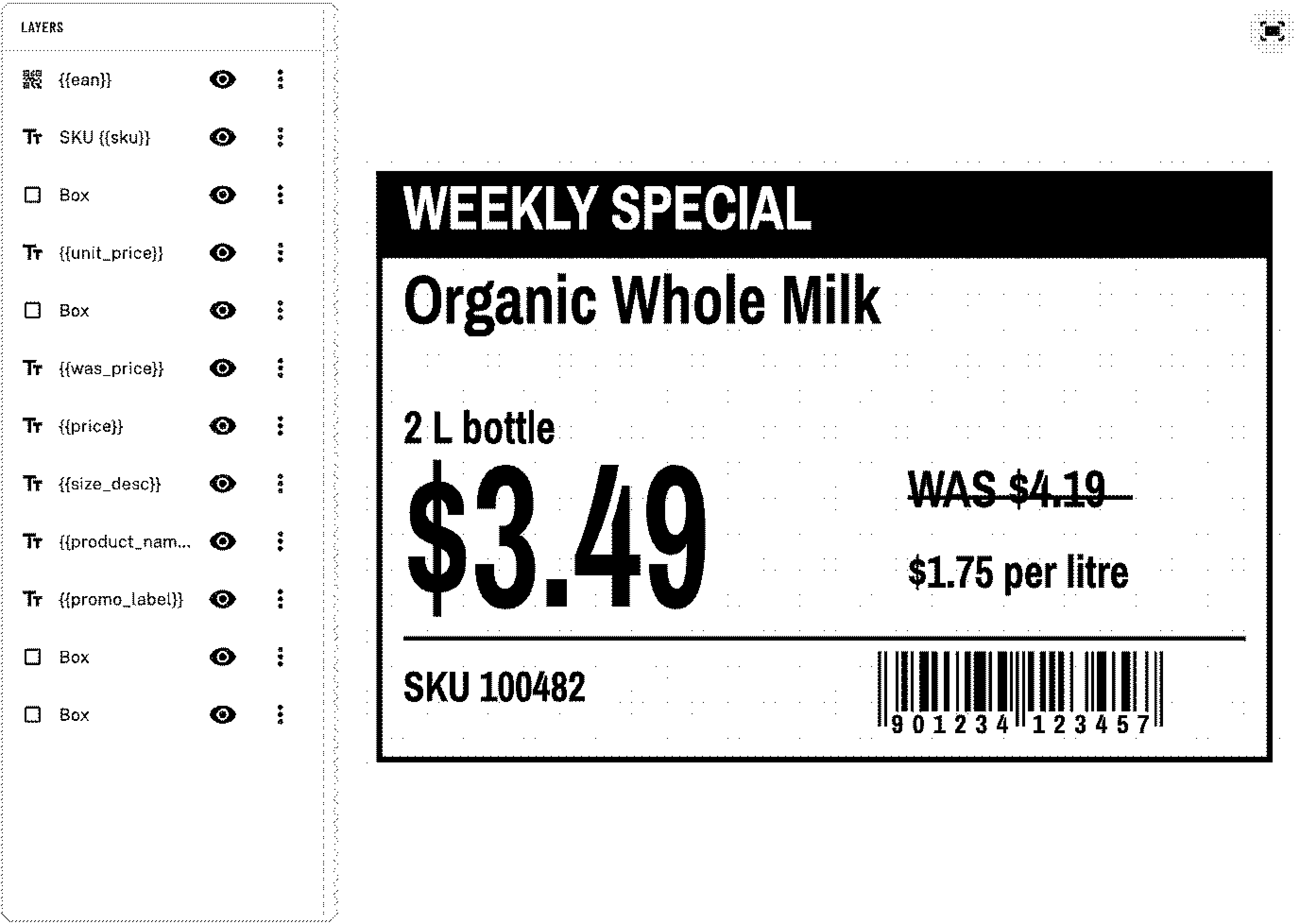
zPrint label editor: the layers list beside a shelf price tag on the canvas, with its barcode and price fields
Editor: layers and canvas.

Starter templates

24 ready-made starter templates in 7 industry groups (Retail, Food, E-commerce, Warehouse, Healthcare, Events, Office).
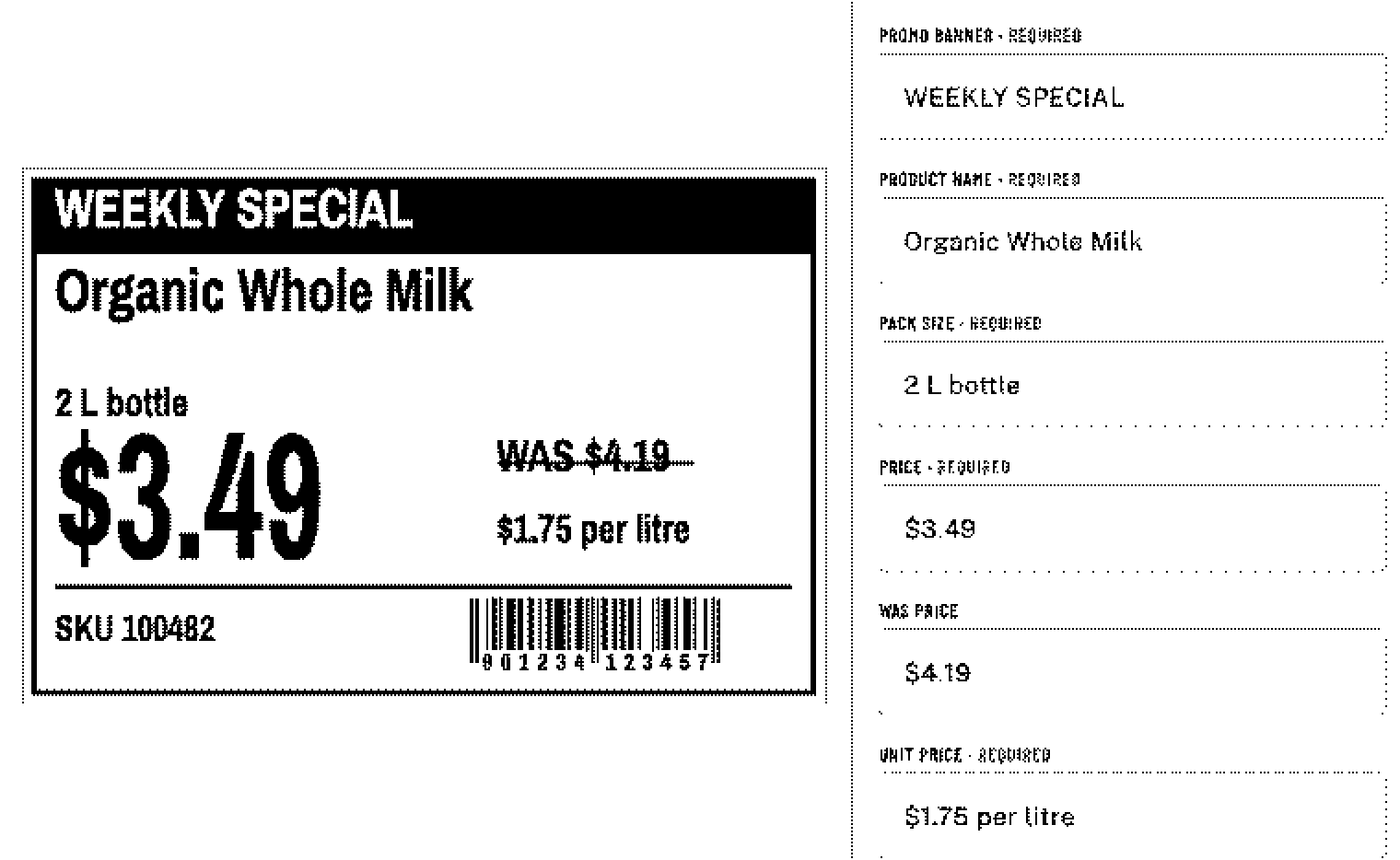
zPrint fill screen for the shelf price tag template: the label preview beside its first required fields
Fill: a shelf price tag template.

AI fill and AI template Coming

Manage

CSV batch

CSV batch printing with per-row checks and required-field mapping.
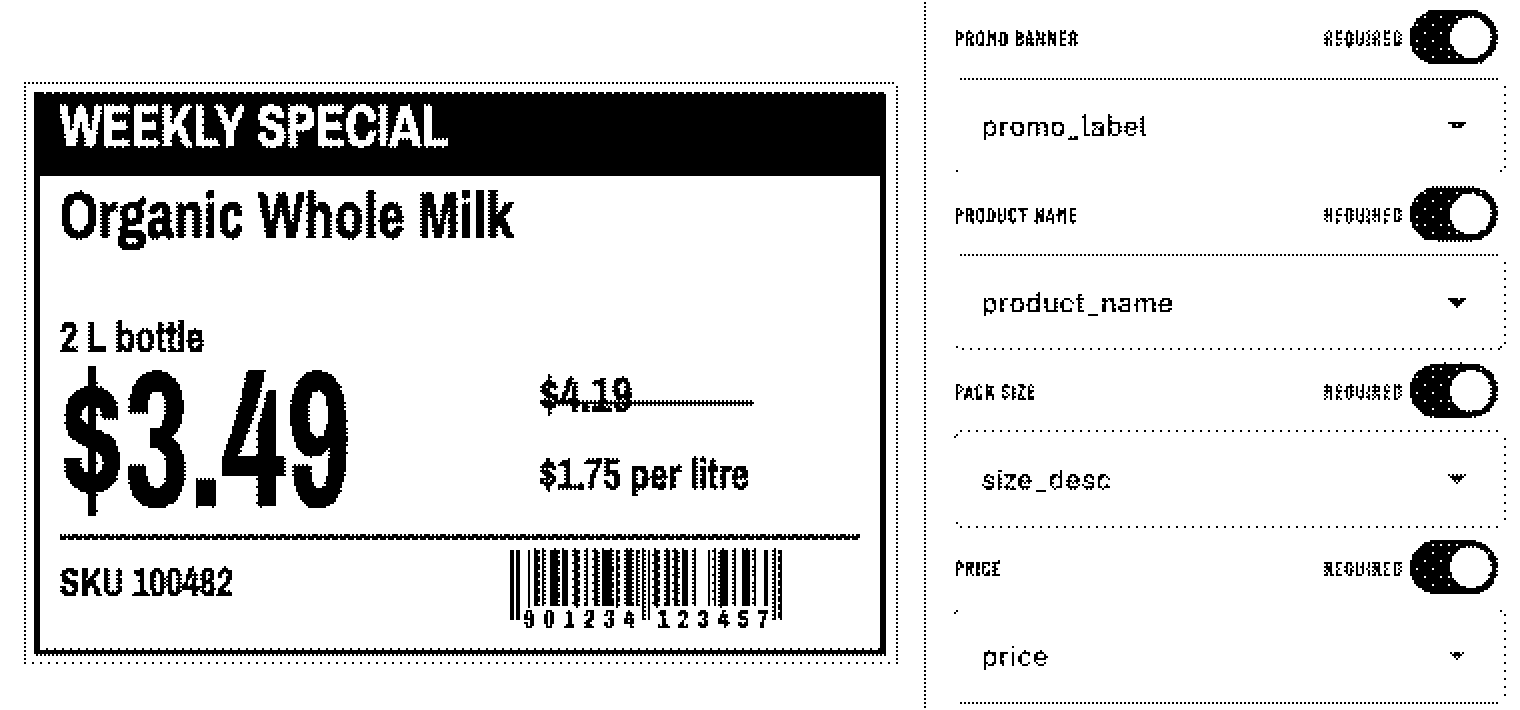
zPrint batch screen: the preview of a shelf price tag beside its required fields, each mapped to a spreadsheet column
Batch: every required field mapped to a column.
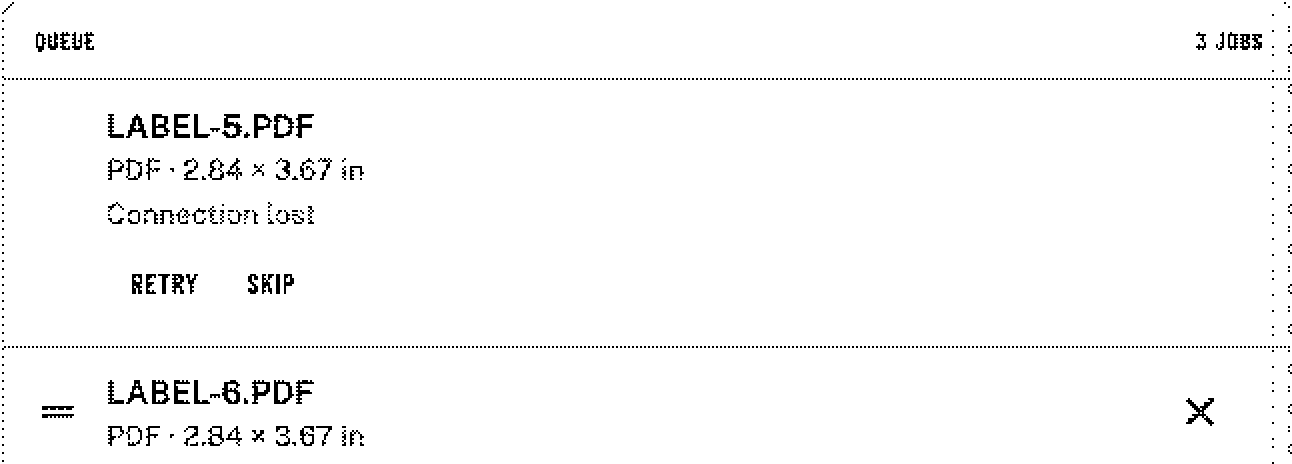
zPrint print queue: a PDF job that lost its connection, with retry and skip
Queue: a lost connection waits for retry or skip.

Print queue and history

Print queue with pause, retry and skip; job history with exact reprint and void; undo on remove.
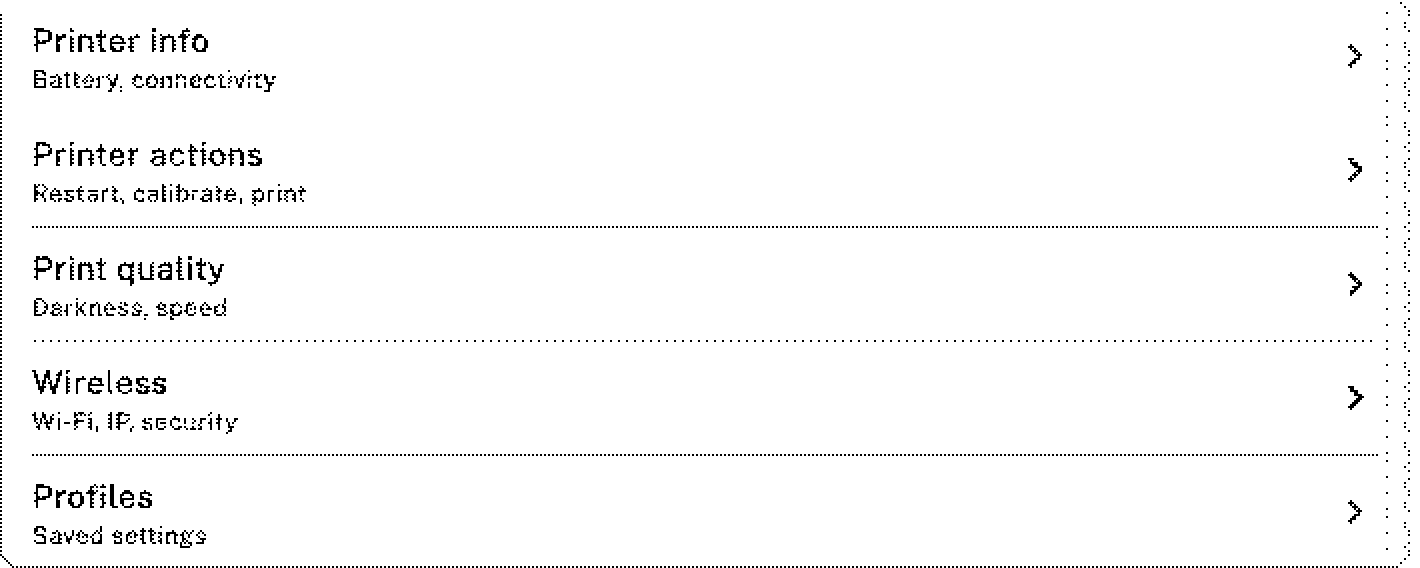
zPrint printer tools: printer info for battery and connectivity, printer actions to restart and calibrate, print quality for darkness and speed, wireless settings and saved profiles
Printer tools: info, actions, quality, wireless, profiles.

Printer setup

Printer setup in the app: Wi-Fi join, calibrate, darkness and speed, profiles, battery and connection info.

Print

Files

Print PDFs, images, plain text and raw ZPL, with Fit, Fill or Actual scaling set in Print defaults.

On iPhone, iPad and Android, files shared from other apps open in zPrint.
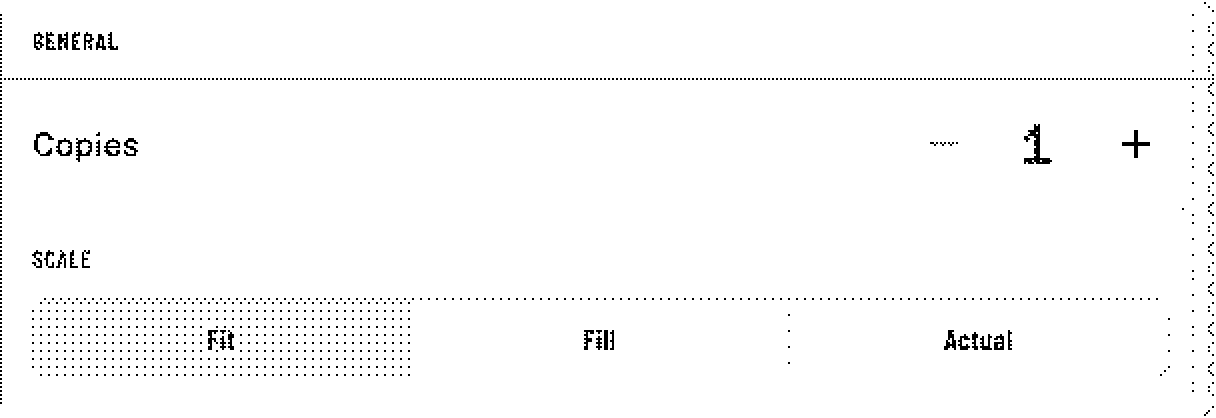
zPrint print defaults: copies, and the scale choice Fit, Fill or Actual with Fit selected
Print defaults: Fit, Fill or Actual.
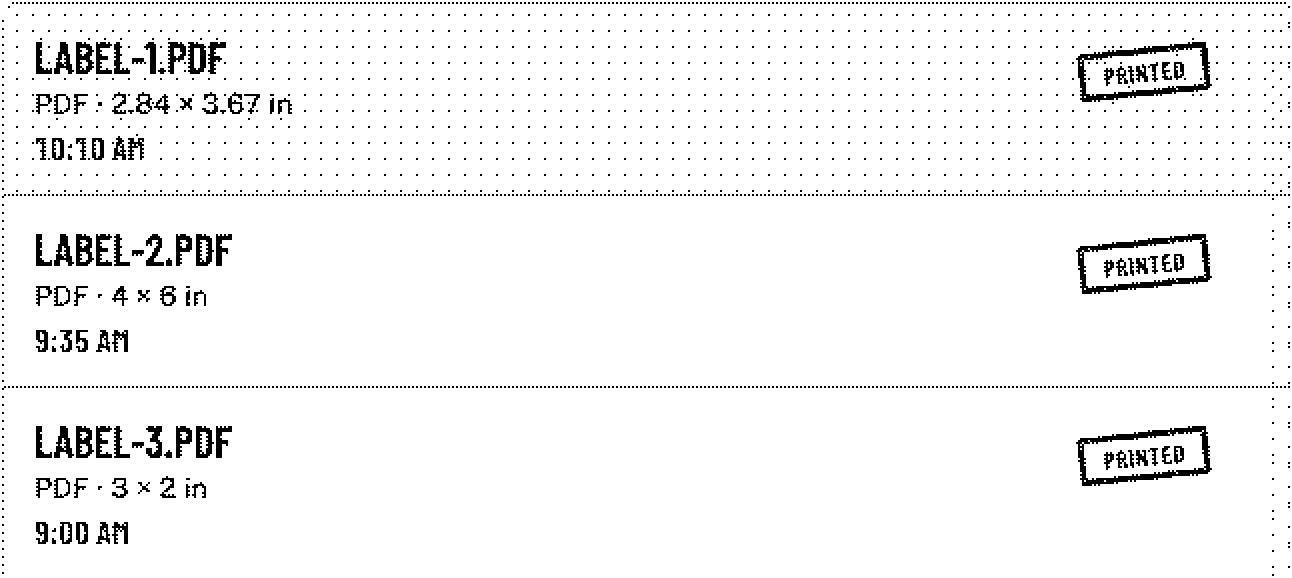
zPrint jobs list for today: three PDF labels, each with its size and time and a PRINTED stamp
Jobs: today’s PDF labels, printed.

Start free

Download free

Mac · iPhone · iPad · Android · Windows preview

Free to start · Pro is one-time